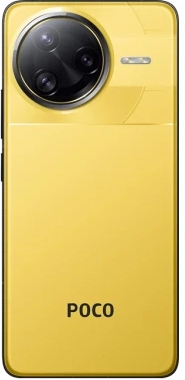
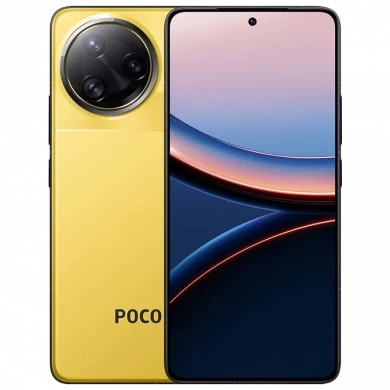
POCO F7 Ultra / REDMI K80 Pro

POCO F7 Ultra / REDMI K80 Pro (miro) HyperOS Firmware China OS3.0.304.0.WOMCNXM Fastboot ROM

HyperOS updates for POCO F7 Ultra (codename miro). Official Fastboot ROM and Recovery ROM firmware, build OS3.0.304.0.WOMCNXM.

Security patch: 2026-08-01

Download OS3.0.304.0.WOMCNXM Fastboot ROM

POCO F7 Ultra / REDMI K80 Pro Details

CPU Snapdragon 8 Elite
Latest Version OS3.0.304.0.WOMCNXM
Android Version 16
OS Version HyperOS 3.1
Display Size 6.67"
EOL Status 2031-03-27

Fastboot ROM and Recovery ROM

Download the OS3.0.304.0.WOMCNXM Fastboot ROM or Recovery ROM for POCO F7 Ultra (miro). Recovery ROM installs from the Updater app. Fastboot ROM flashes with Mi Flash Tool.

Read More

Recovery ROM

  1. Download the Recovery ROM.
  2. Open the Updater app on your POCO F7 Ultra.
  3. Tap the three dots and select Choose update package.
  4. Select the downloaded ROM. The phone reboots into the new version when it finishes.

Fastboot ROM

  1. Download the Fastboot ROM package.
  2. Boot the phone into Fastboot and connect it to a computer.
  3. Flash the package with Mi Flash Tool. Fastboot flashing erases data.

Note: Match the codename miro before flashing. Beta builds may not install from the stock updater.

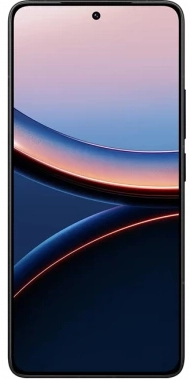
Device Photos
Regions

Latest
China
EEA Global
Indonesia Global
Global
Taiwan Global
Russia Global
Turkey Global
Beta
OS3.0.304.0.WOMCNXM
16 HyperOS 3.0 China
OS3.0.302.0.WOMEUXM
16 HyperOS 3.0 EEA Global
OS3.0.302.0.WOMIDXM
16 HyperOS 3.0 Indonesia Global
OS3.0.302.0.WOMMIXM
16 HyperOS 3.0 Global
OS3.0.302.0.WOMTWXM
16 HyperOS 3.0 Taiwan Global
OS3.0.301.0.WOMRUXM
16 HyperOS 3.0 Russia Global Fastboot ROM
OS3.0.3.0.WOMTRXM
16 HyperOS 3.0 Turkey Global Fastboot ROM

Comments

Comment Image
Ahmed kamel 18.08.2026 19:17
يوجد تحديث جديد للاصدار العالمى وليس موجود هنا
3.0.302.0
Comment Image
Ahmed kamel 27.06.2026 11:41
للاسف برنامج game turbo غير متكامل باللغه العربيه وهذا غضبي الكبير منكم ولا احد يعير هذه المشكله انتباه
Comment Image
Hejazb 07.04.2025 16:09
Hi, I bought my Redmi K80 Pro from Giztop on Jan 15, they promised to unlock my boot loader when global firmware becomes available, no they are saying I cannot install the global firmware version. My boot loader is locked. When I try to use MI Unlock app in developer option it reports error \"the place the account is registered is not the same where the device is sold.\" Giztop is located in Hong Kong, I am in USA. What is the solution? I can not use Arabic and German keyboards, I can not use Android Auto and my hearings aids do not work while driving because Android auto id disabled. Please, help thank you in advance for any help.
Comment Image
Mohammed Ilyas 12.12.2024 06:19
i am waiting for other update Raskal india man and Raskal chain man and Raskal Google man my poco m6 pro 5G is not working properly charging app and not working properly camera app and not working properly application so update New other hyperos ROM OS version 2.0.25.0 update available for poco m6 pro 5G today Raskal mi and poco man Yes are no Raskal
Comment Image
Mohammed Ilyas 12.12.2024 06:19
i am waiting for other update Raskal india man and Raskal chain man and Raskal Google man my poco m6 pro 5G is not working properly charging app and not working properly camera app and not working properly application so update New other hyperos ROM OS version 2.0.25.0 update available for poco m6 pro 5G today Raskal mi and poco man Yes are no Raskal