

Xiaomi Redmi 8A V12.5.3.0.QCPCNXM Fastboot ROM China V12.5.3.0.QCPCNXM Fastboot ROM
HyperOS updates for Xiaomi Redmi 8A (codename olivelite). Official Fastboot ROM and Recovery ROM firmware, build V12.5.3.0.QCPCNXM.
Fastboot package: olivelite_images_V12.5.3.0.QCPCNXM_20211105.0000.00_10.0_cn_11862639cb.tgz
Xiaomi Redmi 8A Details
CPU
Snapdragon 439
Update Version
V12.5.3.0.QCPCNXM
Android Version
10
OS Version
MIUI 12.5
Display Size
6.2"
EOL Status
1970-01-01
Fastboot ROM and Recovery ROM
Download the V12.5.3.0.QCPCNXM Fastboot ROM or Recovery ROM for Xiaomi Redmi 8A (olivelite). Recovery ROM installs from the Updater app. Fastboot ROM flashes with Mi Flash Tool.
Read MoreRecovery ROM
- Download the Recovery ROM.
- Open the Updater app on your Xiaomi Redmi 8A.
- Tap the three dots and select Choose update package.
- Select the downloaded ROM. The phone reboots into the new version when it finishes.
Fastboot ROM
- Download the Fastboot ROM package (olivelite_images_V12.5.3.0.QCPCNXM_20211105.0000.00_10.0_cn_11862639cb.tgz).
- Boot the phone into Fastboot and connect it to a computer.
- Flash the package with Mi Flash Tool. Fastboot flashing erases data.
Note: Match the codename olivelite before flashing. Beta builds may not install from the stock updater.
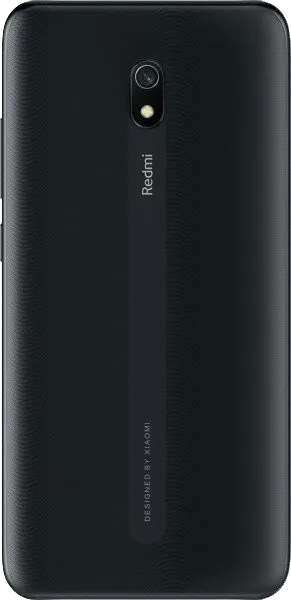
Device Photos

Changelog
See what's new in this version including bug fixes, improvements and new features...
Read MoreComplete Changelog
Loading changelog...
Downloads
V12.5.3.0.QCPCNXM
10
Recovery
V12.5.3.0.QCPCNXM
10
Fastboot ROM
olivelite_images_V12.5.3.0.QCPCNXM_20211105.0000.00_10.0_cn_11862639cb.tgz
